The article component atlas
Every supported article element in one place: typography, lists, figures, tables, code, disclosures, footnotes, and related reading.
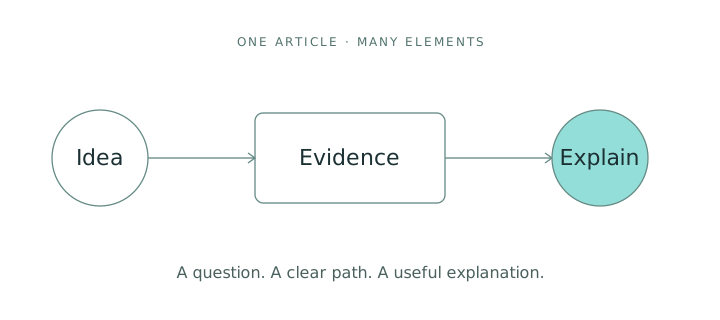
A complete set of building blocks
This is an article-format showcase. The people, observations, and values below are illustrative; this page does not report an Abel experiment or a model benchmark.1
Each section demonstrates a different part of the current article format. A writer can keep using structured content, while a designer can review the same kind of element across every article.
For a continuous reading experience, open From Forecasts to Interventions. To inspect individual elements, use the contents list on this page.
Paragraphs, emphasis, and inline code
A paragraph can include a strong conclusion, an aside with a different voice, an earlier interpretation, and a precise identifier such as intervention_set.
A deliberate line break keeps two lines together.
The second line remains part of this paragraph.
Long identifiers should wrap in prose: a_descriptive_identifier_for_an_observation_window_that_needs_to_remain_readable_on_a_small_screen
中文也可以出现在正文中:一个清晰的问题,一组可检查的证据,以及一段解释。 English and 中文 can share a paragraph without requiring an image of the text.
A heading hierarchy
The article title is the only H1. Sections use H2, and subsections use H3. Both appear in the contents list.
A fourth-level heading
Use this level to introduce one part of a subsection. Its smaller size keeps the reading hierarchy clear.
A fifth-level heading
A deeper note can still have a semantic heading without competing with the main sections.
A sixth-level heading
This is the smallest supported heading level. It stays out of the main contents list.
Lists with different jobs
Unordered and nested lists
- Start with a question.
- Gather evidence.
- Record the observation window.
- Keep the source and its context together.
- Note which assumptions were checked.
- Explain what changed your interpretation.
Ordered and mixed lists
- Define the question.
- Describe the comparison.
- Say what stays fixed.
- Say what changes.
- Read the evidence before writing the conclusion.
An ordered list can also continue from a later number:
- Review the limitations.
- Share the article for feedback.
- Revisit it when there is new evidence.
A read-only review checklist
These checkboxes demonstrate a static checklist. A reader cannot edit the source by clicking them.
Quotations and supporting context
A figure is most useful when the reader knows what to look for before seeing it.
A second paragraph can extend the same thought without becoming a new block.
Review question: What would change this interpretation?
Example response: A different observation window, an unmeasured influence, or evidence that the proposed change cannot be applied consistently.
Links and references
Links can point to the article list, a figure in this article, or an external reference.
Images and figures
A standard image
An image keeps its original proportions. Its alternative text describes the picture, while a visible caption adds context.
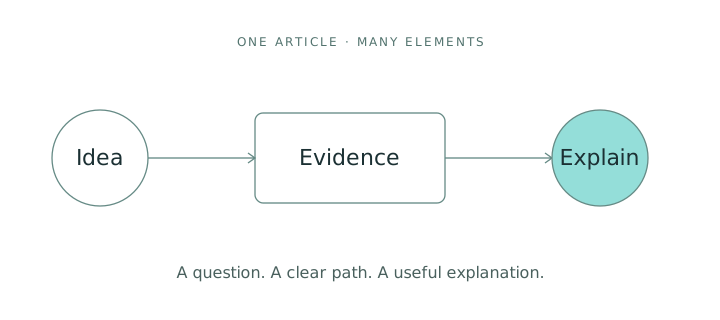
A figure with a caption and reference
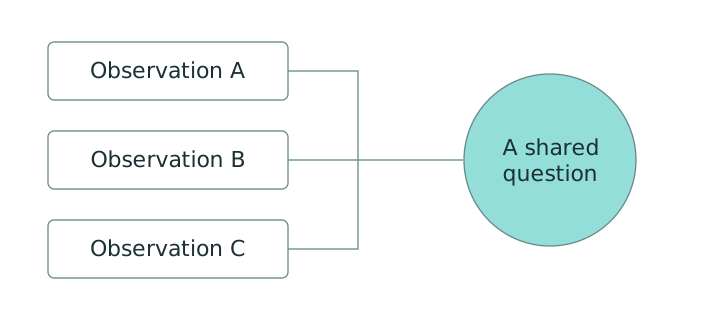
Tables, alignment, and overflow
| Element | Representation | Example count |
|---|---|---|
| Observation | x | 120 |
| Intervention | do(x) | 3 |
| Review note | Context | 8 |
The numbers are layout examples only.2
A wider table
This table intentionally has enough columns to need horizontal scrolling on a phone. The scroll stays inside the table area.
| Review stage | Question | Input format | Supporting material | Reviewer | Status |
|---|---|---|---|---|---|
| Framing | What are we trying to understand? | Structured text | A short problem statement | Editorial example | Ready |
| Evidence | Can the reader inspect the reasoning? | Table + figure | Sources, assumptions and observations | Research example | In review |
| Presentation | Is the article readable on a small screen? | HTML | Image descriptions, code blocks and a contents list | Design example | Open |
Code in several forms
All code and output here is static article content. The page does not run these snippets.
A named Python fence
questions = ["What changed?", "What stayed fixed?", "What is uncertain?"]
for index, question in enumerate(questions, start=1):
    print(f"{index}. {question}")
TypeScript and JSON
type ReviewNote = {
  question: string;
  status: "draft" | "reviewed";
};

const note: ReviewNote = {
  question: "What evidence would change our interpretation?",
  status: "draft",
};
{
  "kind": "format-example",
  "observations": 3,
  "measured_result": false
}
No language was specified for this fence.
    Indentation is preserved.
Long source lines stay intact and can scroll within the code block: question -> observation -> evidence -> review -> explanation.
A source-and-output pair
questions = ["What changed?", "What stayed fixed?", "What is uncertain?"]
for index, question in enumerate(questions, start=1):
    print(f"{index}. {question}")
Review questions: 3
A language without highlighting
Syntax highlighting is unavailable for example-dsl; shown as plain text.
question "What changed?"
  observe "before"
  compare "after"
  keep "uncertainty visible"
Expandable supporting material
Open a short supporting note
Inside the supporting note
Supporting context can remain available without interrupting the main argument.
Open a longer note with a table and code
| Element | Representation | Example count |
|---|---|---|
| Observation | x | 120 |
| Intervention | do(x) | 3 |
| Review note | Context | 8 |
questions = ["What changed?", "What stayed fixed?", "What is uncertain?"]
for index, question in enumerate(questions, start=1):
    print(f"{index}. {question}")
Repeated headings and footnotes
A recurring question
The first occurrence gets its own section anchor. A footnote can add background without interrupting the main paragraph.3
A recurring question
The second occurrence receives a different anchor, so both sections remain reachable from the contents list. The same footnote can be referenced again.3
This article demonstrates the supported article elements. Mathematical notation, video embeds, and interactive chart or demo blocks are not part of this version.